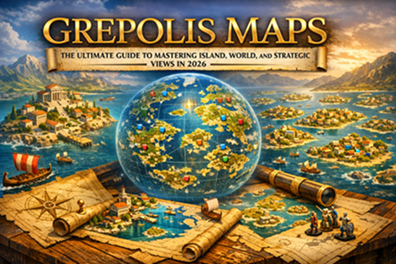
Grepolis Maps: The Ultimate Guide to Mastering Island, World, and Strategic Views in 2026
Introduction
In the vast and competitive world of Grepolis, knowledge is power—and the map is your ultimate source of intelligence. Whether you’re a novice building your first city or a veteran planning a large-scale conquest, understanding how to navigate and utilize Grepolis maps is essential for success. This comprehensive guide will walk you through every aspect of the game’s mapping system, from basic navigation to advanced strategic planning.
What Are Grepolis Maps?
Grepolis maps are the visual representation of the game world, divided into three distinct views that allow players to interact with their environment, manage resources, and plan military campaigns. The mapping system is your window into the ancient Greek world where gods, monsters, and other players shape your destiny.
The Three Core Map Views
| Map View | Icon | Primary Function | Best Used For |
|---|---|---|---|
| City View | House icon | Internal city management | Building construction, research, unit training |
| Island Map | Island icon | Local interactions | Farm villages, neighboring cities, resource management |
| World Map | Compass/Globe icon | Global strategy | Scouting, expansion planning, alliance coordination |
🔍 Detailed Breakdown of Each Map Type
1. City View: Your Personal Domain
The City View is where you’ll spend most of your time managing your settlement. This isn’t just a map—it’s your command center.
Key Features:
- Building Placement: Visual representation of all your city structures
- Construction Queue: Click empty spaces to see available buildings
- Resource Display: Real-time updates of wood, stone, silver, and population
- Unit Barracks: Train and manage your military forces
- Academy Access: Research new technologies and units
Pro Tip: The City View also shows which buildings are upgradable through a glowing effect—perfect for optimizing your development path.
2. Island Map: Your Local Ecosystem
The Island Map is your default gameplay view and shows your immediate surroundings. Each island in Grepolis can host up to 16 cities and 4 farm villages.
Island Map Elements:
| Element | Description | Interaction Options |
|---|---|---|
| Your Cities | Your settlements on the island | Manage, rename, view details |
| Other Players’ Cities | Competitors or allies | Attack, support, trade, spy |
| Farm Villages | NPC settlements with resources | Attack for loot, trade for resources |
| Resource Nodes | Special resource locations | Strategic importance for conquest |
Farm Village Mechanics:
- Each farm village has a mood meter affecting loot
- Villages regenerate troops over time
- Higher loyalty = better trade rates
- Can be conquered for permanent resource income
3. World Map: The Grand Strategy
The World Map zooms out to show multiple islands, oceans, and the entire game world. This is where empires are planned and wars are waged.
World Map Capabilities:
- View all discovered islands
- See alliance territories through color coding
- Plan expansion routes
- Locate farm villages for resource farming
- Identify enemy concentrations
🧭 Advanced Map Navigation Tools
Save Location Feature
Bookmark important coordinates for quick access:
- Navigate to desired location
- Click “Save Location” button
- Name the bookmark
- Access from dropdown menu anytime
Go to Coordinates
Instantly teleport your view to specific coordinates:
- Format: [Ocean Number].[Island Number]
- Example: 55.34 refers to Ocean 55, Island 34
- Perfect for coordinating with allies or targeting enemies
Color Icons Toggle
This powerful feature changes how you see the world:
- On: Shows alliance colors for easy identification
- Off: Shows neutral view for unbiased assessment
- Use strategically before planning attacks
Minimap Navigation
The left-side minimap offers:
- Quick island switching
- Visual reference of your current location
- Click-to-navigate functionality
🎯 Strategic Map Usage for Different Playstyles
For Farmers: Resource Optimization
| Strategy | Map View | Action |
|---|---|---|
| Daily Loot Routes | Island Map | Plan efficient farm village circuits |
| Trade Partners | World Map | Locate players with surplus resources |
| Resource Islands | World Map | Find and claim resource-rich islands |
For Warriors: Military Planning
Attack Planning Checklist:
- Scout target using Island Map
- Check alliance colors on World Map
- Calculate travel time (critical for timing)
- Identify support routes from allies
- Plan retreat paths
For Diplomats: Alliance Management
- Use World Map to visualize alliance territory
- Identify neutral buffer zones
- Locate potential allies or threats
- Plan joint operations with color-coded views
📊 Grepolis Map Coordinates System Explained
The coordinate system is fundamental to navigation:
Structure: Ocean.Island.City (optional)
Example Breakdown:
- Ocean 45: The major region
- Island 23: Specific island within ocean
- City 7: Your city’s position on the island (0-15)
Distance Calculation:
Travel time = √[(ΔOcean × 100)² + (ΔIsland × IslandSize)²] × SpeedFactor
Note: IslandSize varies by ocean type
💻 External Tools: GrepoTool Mastery
For serious players, GrepoTool is indispensable. Here’s how to maximize its potential:
GrepoTool Features Table
| Feature | Function | Benefit |
|---|---|---|
| Live Map Viewer | Real-time world maps | Always current intel |
| Political Maps | Alliance territory visualization | Strategic planning |
| Travel Time Calculator | Precise arrival times | Coordinated attacks |
| City Database | Search any player’s cities | Target identification |
| Attack Planner | Multi-city operation planning | Large-scale conquests |
How to Use GrepoTool Effectively
- Download from official source (community tool)
- Select your world from dropdown
- Use filters to show/hide alliances
- Save custom maps for reference
- Export data for alliance coordination
Warning: GrepoTool is third-party software. Always:
- Verify you’re downloading from legitimate sources
- Understand it’s not supported by InnoGames
- Use responsibly within game rules
🎮 Map-Based Strategies for Different Game Phases
Early Game (First 30 Days)
Priority: Secure local resources
- Map all farm villages on your island
- Identify inactive players for easy conquest
- Locate alliance members nearby
- Mark resource nodes for future expansion
Mid Game (1-3 Months)
Priority: Strategic expansion
- Create save points for all alliance cities
- Map enemy territories
- Identify chokepoints and strategic islands
- Plan colony ship routes
Late Game (3+ Months)
Priority: World domination
- Use World Map for grand strategy
- Coordinate multi-front operations
- Track alliance movements
- Identify weak points in enemy lines
❓ Frequently Asked Questions About Grepolis Maps
Q1: How do I switch between map views?
Click the respective icons on the left sidebar: House for City View, Island for Island Map, and Compass for World Map.
Q2: Can I see other players’ cities on the map?
Yes, once you discover them through exploration or scouting, they appear as icons on both Island and World Maps.
Q3: What do the different city colors mean?
- Green: Your cities
- Blue: Alliance members
- Red: Enemy players
- Gray: Neutral/unaffiliated
- Yellow: Inactive players
Q4: How far can I see on the World Map?
Initially limited to discovered areas, but exploration and the “View” building expand your vision radius.
Q5: Is GrepoTool legal?
Yes, it’s a permitted third-party tool as long as it doesn’t automate gameplay or violate terms of service.
Q6: How do farm villages respawn on the map?
They regenerate troops and resources every few hours, but the village itself remains in the same location permanently.
Q7: Can I hide my cities from the map?
No, all cities are visible to players who have discovered them. Invisibility isn’t possible.
Q8: What’s the best way to find inactive players?
Use the World Map and look for cities with no alliance and unchanged names over several weeks.
🔥 Advanced Map Techniques
Phantom Scouting
Use the map’s zoom feature to scout without alerting players:
- Zoom to maximum distance
- Click on target island
- Observe without direct interaction
Travel Time Optimization
Create a travel time chart for common destinations:
text
Island Distance | Trireme Time | Transport Boat Time
Same Island     | 5-10 min     | 15-30 min
Adjacent Island | 20-40 min    | 1-2 hours
2 Islands Away  | 45-90 min    | 2-4 hours
Alliance Coordination Using Maps
- Create shared GrepoTool maps
- Mark targets with coordinates
- Assign attack waves by distance
- Sync arrival times for maximum impact
📈 SEO Keywords Used in This Guide
- Grepolis maps guide
- How to use Grepolis map
- Grepolis island map tutorial
- Grepolis world map navigation
- GrepoTool download and guide
- Grepolis farm villages map
- Grepolis coordinates explained
- Grepolis strategic map tips
- Best Grepolis map settings
- Grepolis alliance map colors
🎯 Conclusion: Mastering Grepolis Maps
The mapping system in Grepolis is more than just a navigation tool—it’s your strategic command center. From the detailed City View where your empire grows, through the Island Map where local battles are won, to the World Map where global strategies unfold, each view offers unique advantages.
Key Takeaways:
- Master all three map views for complete control
- Use Save Location for important coordinates
- Leverage GrepoTool for advanced planning
- Understand farm village mechanics for resource dominance
- Coordinate with allies using map-based strategies
Remember: The best Grepolis players don’t just look at the map—they read it like a general planning a campaign. Every icon, every color, every coordinate tells a story. Learn to interpret these stories, and you’ll be well on your way to building an empire that stands the test of time.